top of page

Ai Smart Helmet the Heart
2.11 Track Playback.
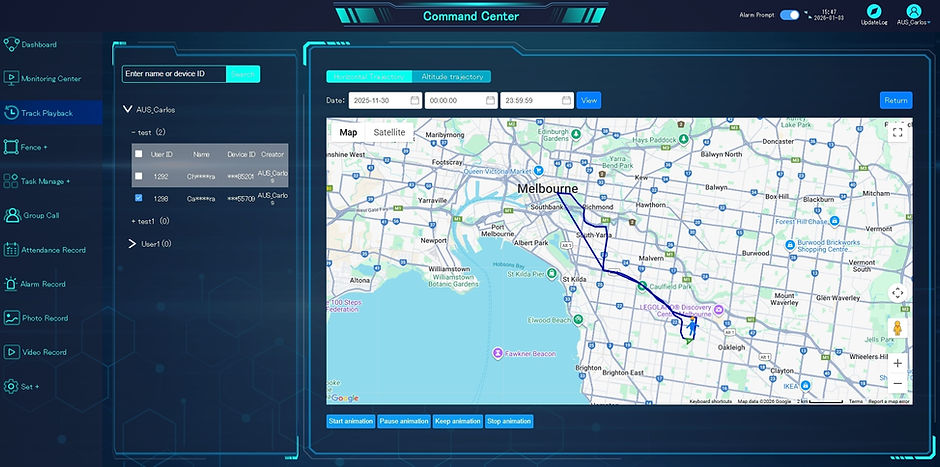
Select “Track Playback” from the left menu bar.
Select the helmet user and click the check box and user name to have the historical trajectory bar.
Then select one of historical trajectory bar and click view for detail review.
Please refer to the below figure.

You can click “Start animation”, “Pause animation”, “Keep animation” or “Stop
animation” to review the historical trajectory in animation form or click “Location
Detail” to review the details in word form.
Please refer to the below figure.
bottom of page