top of page

Ai Smart Helmet "The Heart"
Technical Information
2.6 Video Monitoring.
Click icon to initiate a video call.

Screenshot and Broadcast during the video monitoring are supported.
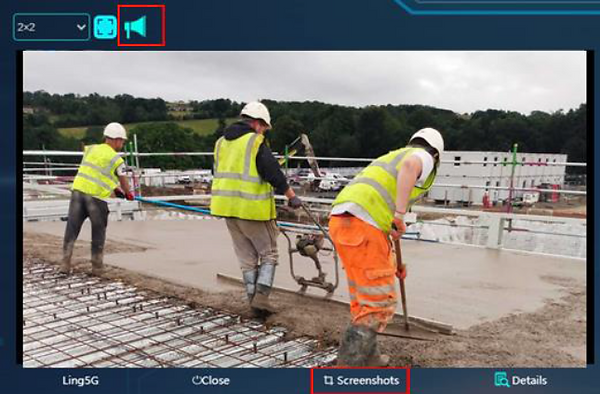
Click icon to check the details during video monitoring. There’re two approaches to get the details. One is to click the detail icon on the main function board as Figure 1 showed. The other is clicking the detail icon on the video monitoring window function bar as Figure 2 showed. Please see Figure 3 as the details page.
"Always protecting you, even when you're not aware"
bottom of page